I have to admit, Vibe Coding feels a bit like fantasy—especially when everyone talks about how a non-tech person can build a website or app without writing a single line of code. As someone with a tech and coding background, I can say this statement is true, but there’s a lot more to consider if you want to publish your deliverable to the public.
Honestly, I didn’t realize how amazing Vibe Coding is until I tried following some YouTube KOLs using Replit. Before diving into Vibe Coding, I had been thinking about building a web game for my kids to learn how to type Chinese (Changjie). Back in the day, I learned Changjie by playing PC games where Chinese characters fall from the top and you have to type them to score points.
So, I tried Vibe Coding by telling it:
I want to build a MVP app for helping kids to learn Chinese typing – Changjie.
The app should be mobile friendly, kids shall see some Simple chinese character fall down from the sky to the ground.
Kids need to type the word in the input field to match the falling chinese character in order to gain point.
The game shall shows a garden with Chinese character in a various fruits fall down.
Replit’s agent, the bot I interacted with, thought for a few seconds and replied:
I’ll help you create an engaging Chinese typing game for kids learning Changjie input method. Let me prepare a plan for this interactive educational game.
App type: Modern web app
A mobile-friendly educational game where kids learn Changjie Chinese typing by matching falling fruit-themed characters
I’ll include the following features:
- Falling character game mechanic with simplified Chinese characters dropping from top to bottom at steady pace
- Changjie input field where kids type decomposed character codes to match falling characters
- Point scoring system that awards points for correct matches and displays current score
- Garden-themed visual design with characters displayed as colorful falling fruits (apple, orange, watermelon, etc.)
- Mobile-friendly responsive interface optimized for touch devices and small screens
- Character pool with 15-20 common simplified Chinese characters suitable for beginners
- Game speed adjustment based on successful matches to maintain engagement
- Visual feedback animations when characters are matched correctly or missed
After a few more minutes of planning and coding, BOMB! The preview screen showed a beautiful, functional game:
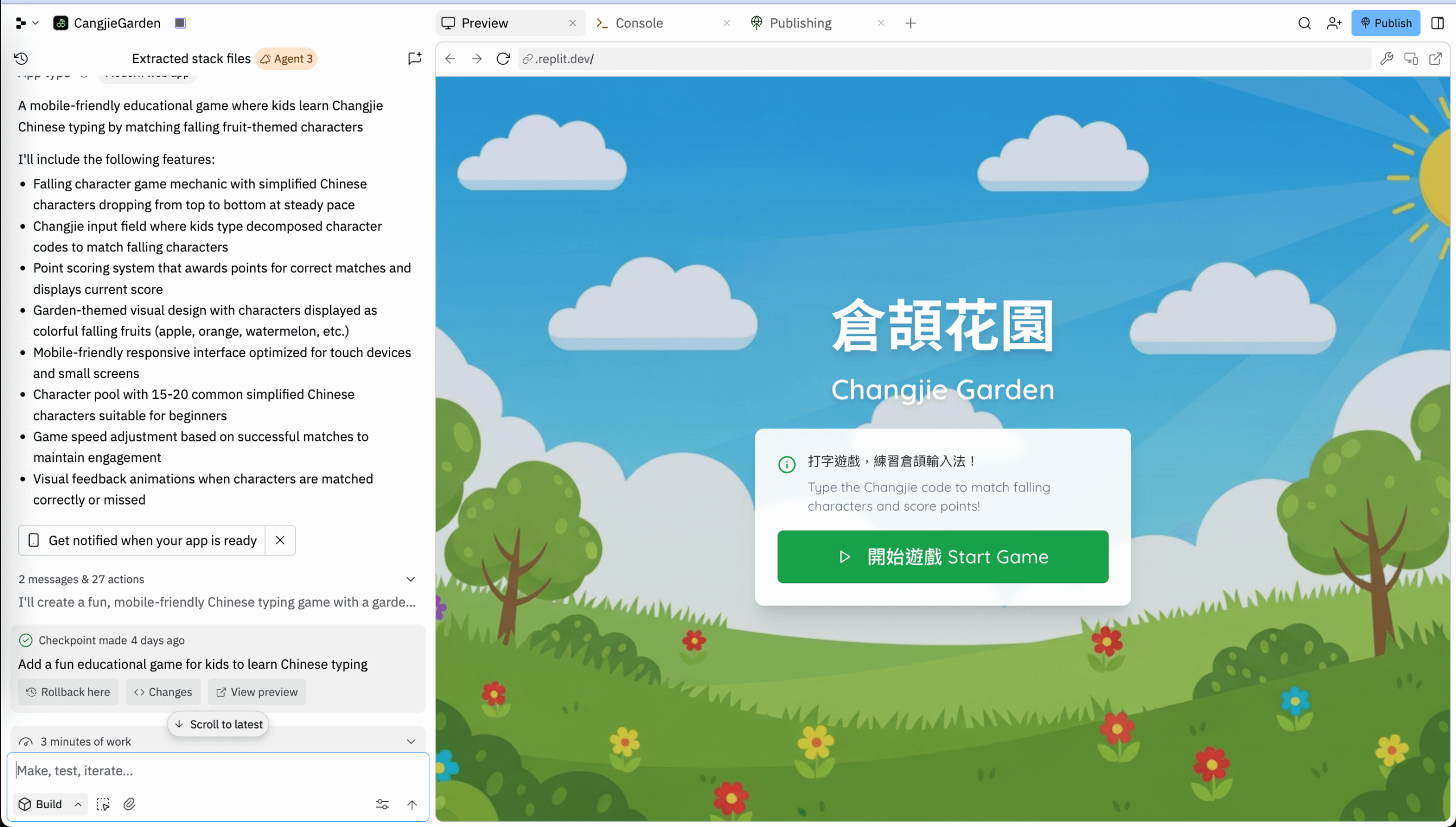
Not only did it look good, it worked perfectly. Characters fell, I typed, and I earned points. I was honestly surprised! I didn’t write any code, nor worry about the graphics. It felt like the boss gave an order and the staff instantly delivered.
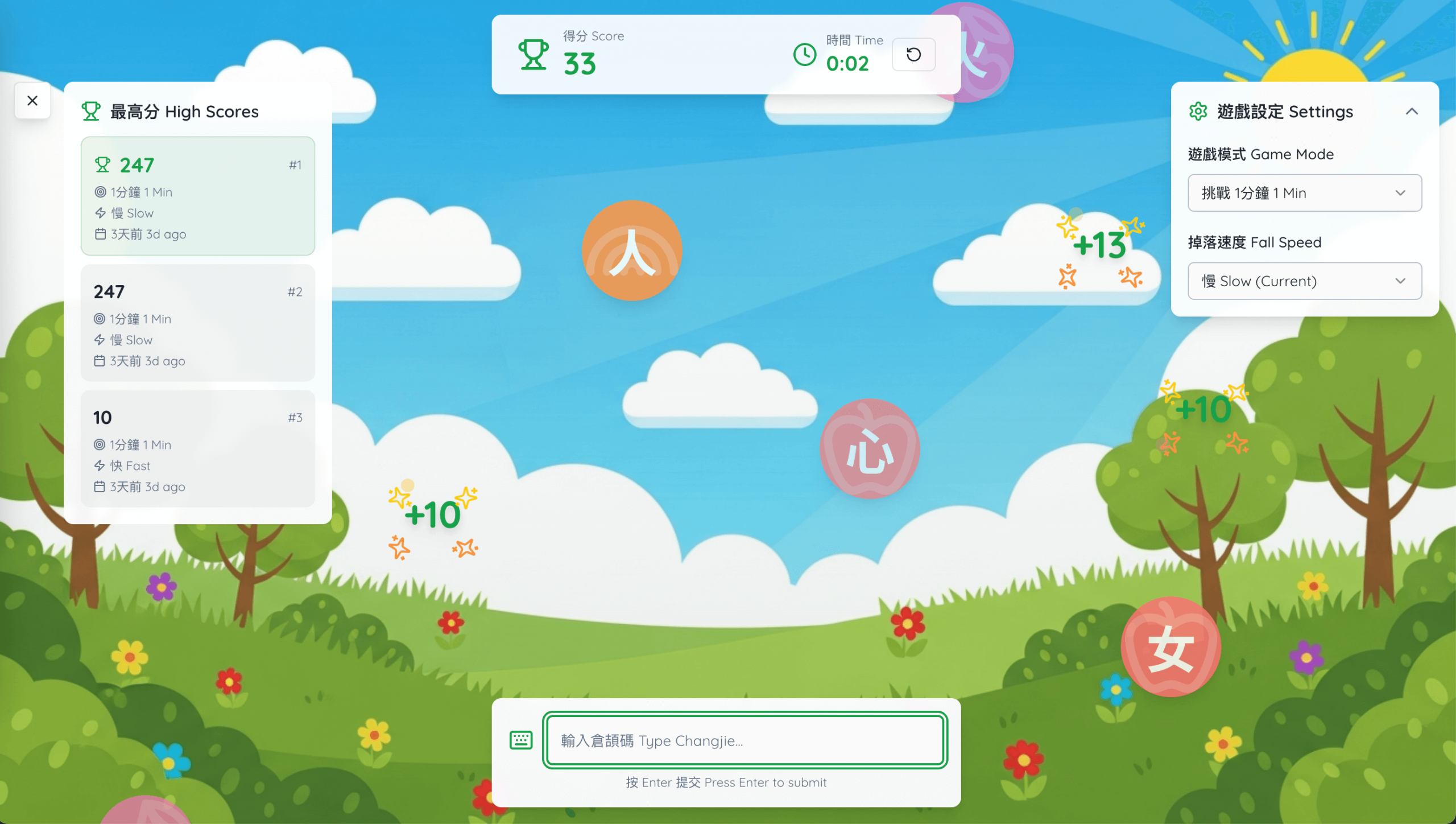
I continued interacting with the Replit agent, adding tweaks like:
- Tuning game speed
- Adding fireworks animation on correct input
- Accepting both English keywords and Chinese input
- Adding different challenge modes (time length and speed)
- Adding ranking records
After 30 minutes of random trials, I ended up with this:
Everything sounded great so far. But as the game used Vite, I wanted to deploy it on Heroku, which initially failed. So I asked Replit to convert the project to support Heroku deployment. It understood immediately and reprocessed the entire codebase for Heroku compatibility.
Sadly, at this point I consumed all my free-tier resources. Here’s the hosted link:
https://changjie-game-302235826fdc.herokuapp.com
It worked great on my laptop, but if you read this on mobile and try the game, you’ll quickly realize—it’s completely NOT mobile-friendly, despite my initial requirement. The typing triggers the OS keyboard, which takes half the screen and makes the game unplayable on mobile. This taught me a few lessons about Vibe Coding.
Lessons from my first Vibe Coding experience
- Vibe Coding greatly simplifies starting a project—from idea to deliverable. Non-coders can create attractive webpages and apps easily. However, the quality and readiness for production depend heavily on how clearly and accurately you describe what you want.
- You can build something impressive, but how well does it work? If it’s a SaaS, how do you deploy and host it? These still require technical expertise.
- Vibe Coding can produce a nice output like mine, but real-world testing on target devices remains essential. For example, my game’s UX suffers because the OS keyboard hijacks half the screen on mobile. UX designers, QA experts, and real user testing still safeguard such critical aspects.
Despite the challenges, Vibe Coding is very impressive. I’m working on other projects with Replit, and it helps me scaffold and refactor code quickly based on my suggestions. I encourage you to give it a try too.
If you like also tried Replit and find it good, use my referral link below to help both of us earn $10 free credit: